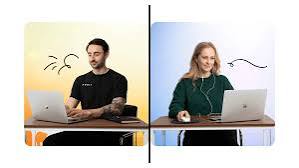
Some people open a focus stream because the room feels too quiet. Others use a study-with-me live to feel less alone while working. In the middle of daily tasks, productivity livestreams can become useful companions, but only when the stream matches the kind of work being done.
A livestream that helps during deep writing may be terrible for email cleanup. A Pomodoro room may be useful for studying, but too strict for creative planning. A casual work-with-me stream may feel motivating in the morning, then distracting when the task needs full concentration.
For Daily Livestream Sound of Text, this topic belongs in the Productivity category because it looks at how live content affects daily work habits. The point is not to make livestreams look productive by default. The point is to choose the right kind of live room for the right task.
The Stream Should Match The Job It Is Supposed To Support
A productivity livestream should not be chosen only because it looks calm or popular. It should support the task in front of the viewer.
If the task needs deep thinking, the best stream is usually quiet, predictable, and low-interaction. If the task is boring but simple, a slightly more social stream may help. If the task needs a strict deadline, a timed focus room can create useful pressure.
The wrong stream can make productivity worse. A viewer may feel busy, but their attention keeps drifting to chat, host updates, background music, or other people’s progress.
Productivity Livestream Matching Table
Use this table as a practical guide before opening a live room.
| Daily Task | Best Livestream Type | Why It Helps | What To Avoid |
|---|---|---|---|
| Reading or studying | Study with me live | Creates quiet shared focus | Chat-heavy streams |
| Writing or research | Silent focus livestream | Reduces loneliness without stealing attention | Music with lyrics or active host commentary |
| Email cleanup | Work with me livestream | Makes repetitive admin feel less dull | Very strict Pomodoro if task is fragmented |
| Design or creative planning | Soft background livestream | Keeps the room alive while ideas develop | Fast-paced talk streams |
| Coding or technical work | Long focus room | Supports uninterrupted concentration | Streams with sudden sound changes |
| Household admin | Casual productivity live | Adds light company during boring tasks | Deep study rooms that feel too rigid |
| Exam preparation | Pomodoro live stream | Gives timed focus and breaks | Random creator chats |
| Journaling or weekly planning | Calm planning livestream | Helps create reflective rhythm | Competitive productivity rooms |
| Cleaning or organizing | Body doubling live | Makes physical tasks feel shared | Streams that require watching closely |
| Late-night catch-up work | Low-stimulation focus stream | Keeps energy steady without overstimulation | Loud streams that delay sleep |
This table shows the main idea: productivity livestreams are not one category with one use. They work differently depending on the task.
Focus Livestreams Fit Deep Work Better Than Social Streams
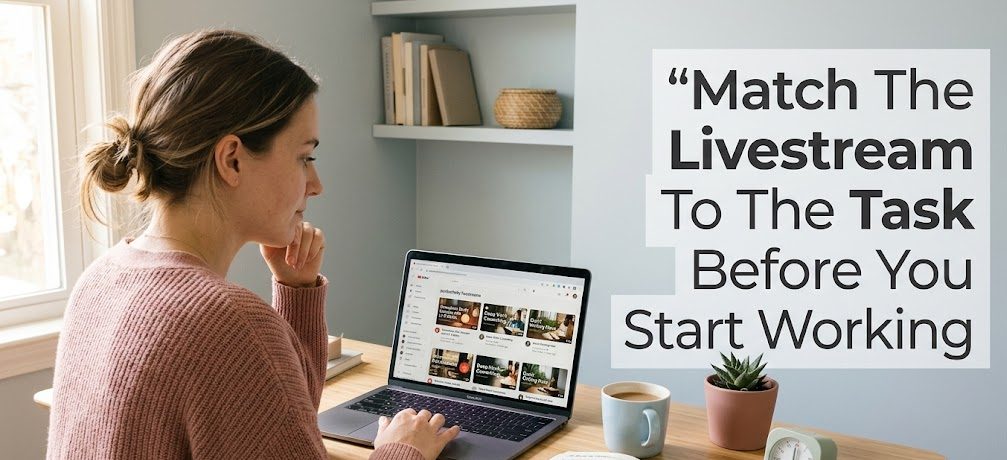
Deep work needs attention that stays in one place. This includes writing, studying difficult material, coding, research, analysis, or reading long documents.
Silent Rooms Reduce The Need To Keep Checking The Screen
A silent focus livestream or low-sound study room can help because it creates presence without demanding much interaction. The viewer knows other people are working too, but the live room does not keep asking for attention.
This is useful for people who dislike total silence but also cannot work with podcasts, conversations, or loud music.
The stream becomes a soft container. It is there, but it does not keep tapping the viewer on the shoulder.
Timed Sessions Help When Starting Feels Hard
A Pomodoro live stream can help when the hardest part is beginning. The timer gives the task a clear starting line and ending point.
For example, a viewer may think:
“I only need to focus until this 25-minute block ends.”
That feels easier than saying:
“I need to work for the next three hours.”
Timed live rooms are especially helpful for studying, exam review, reading assignments, and repetitive tasks that need a push.
Work-With-Me Streams Fit Boring Tasks Better Than Heavy Thinking
Not every task needs deep focus. Some tasks are simple but boring. Email sorting, file cleanup, calendar planning, invoice checking, and small admin work can feel easier when another person is also working in real time.
Light Social Presence Makes Repetitive Work Less Lonely
A work-with-me livestream can make boring tasks feel less empty. The host may greet viewers, set a work goal, start a timer, take breaks, and check in between sessions.
This can create a feeling of shared effort.
The viewer does not need the host to teach anything. The value is presence. It feels easier to continue because someone else is also staying with the task.
Too Much Chat Can Break The Flow
The risk is distraction. If the host talks too much or the chat becomes too active, the viewer may spend more time reading than working.
A good work-with-me stream should have boundaries. It can include short check-ins, but the main energy should still support work.
If the stream becomes more interesting than the task, it may no longer be helping.
Body Doubling Streams Help Physical And Avoided Tasks
Body doubling means doing a task while someone else is also present, even if they are not helping directly. Livestreams can create a digital version of that experience.
Cleaning, Sorting, And Admin Feel Easier With Shared Momentum
Some tasks are not mentally difficult, but they are easy to avoid. Cleaning a desk, organizing files, folding laundry, clearing an inbox, or preparing tomorrow’s schedule can feel less annoying with a body doubling stream open.
The live room gives the viewer a sense of momentum. It is easier to start when another person is also starting.
This works especially well for tasks that do not require full screen attention.
The Stream Should Not Require Constant Watching
For physical tasks, the best livestream can be heard more than watched. If the viewer needs to keep looking at the screen, the task may slow down.
Choose a stream with a stable rhythm, simple audio, and low demand for visual attention.
Productivity Streams Can Become Fake Productivity
A livestream can make the viewer feel productive even when little work is happening. This is the main risk.
The Setup Becomes More Important Than The Work
Some viewers spend too much time choosing the perfect stream, adjusting the volume, reading chat, comparing rooms, or waiting for the next focus block. The productivity setup becomes the activity.
That is a warning sign.
The stream should make work easier to start, not become another reason to delay it.
Other People’s Progress Can Create Unhelpful Comparison
Study rooms and work streams often show other people being focused. This can be motivating, but it can also create pressure.
A viewer may start comparing:
- how long others study
- how early others wake up
- how clean their desks look
- how disciplined they seem
- how much progress they report
That comparison can turn a helpful stream into a quiet source of stress.
The better approach is to use the room as support, not as a scoreboard.
Q&A
Are Productivity Livestreams Actually Useful?
They can be useful when they help the viewer start, focus, or continue a task. They become less useful when the viewer spends more time watching the room than doing the work.
Is A Study With Me Live Better Than Music?
It depends on the task. A study-with-me live can feel more motivating because it includes shared presence. Music may be better when the viewer wants sound without any visual distraction.
Should The Chat Stay Open During Focus Time?
For deep work, it is usually better to close or ignore the chat. For lighter tasks, chat can be fine during breaks. The chat should support the routine, not interrupt the task.
What Is The Best Stream For A Busy Workday?
A low-interaction focus livestream is usually safest during a busy workday. It gives background presence without adding too much noise.

Samudra Pradipta has worked in digital newsroom operations and event calendar management for more than six years. He has prepared daily schedules for online discussions, sports broadcasts, public lectures, product launches, and entertainment events. His work requires careful time-zone conversion, source verification, and fast schedule updates when a broadcast is delayed, relocated, or cancelled.
2 comments
Comments are closed.